Can I move an object after placing it?
There is no dedicated move tool in the footage reviewed — delete and replace, or clear the plot and rebuild. Plan lanes so you do not need constant micro-moves.
Controls
What each build tab is for, and the keys that matter when you are rearranging a plot.
Updated
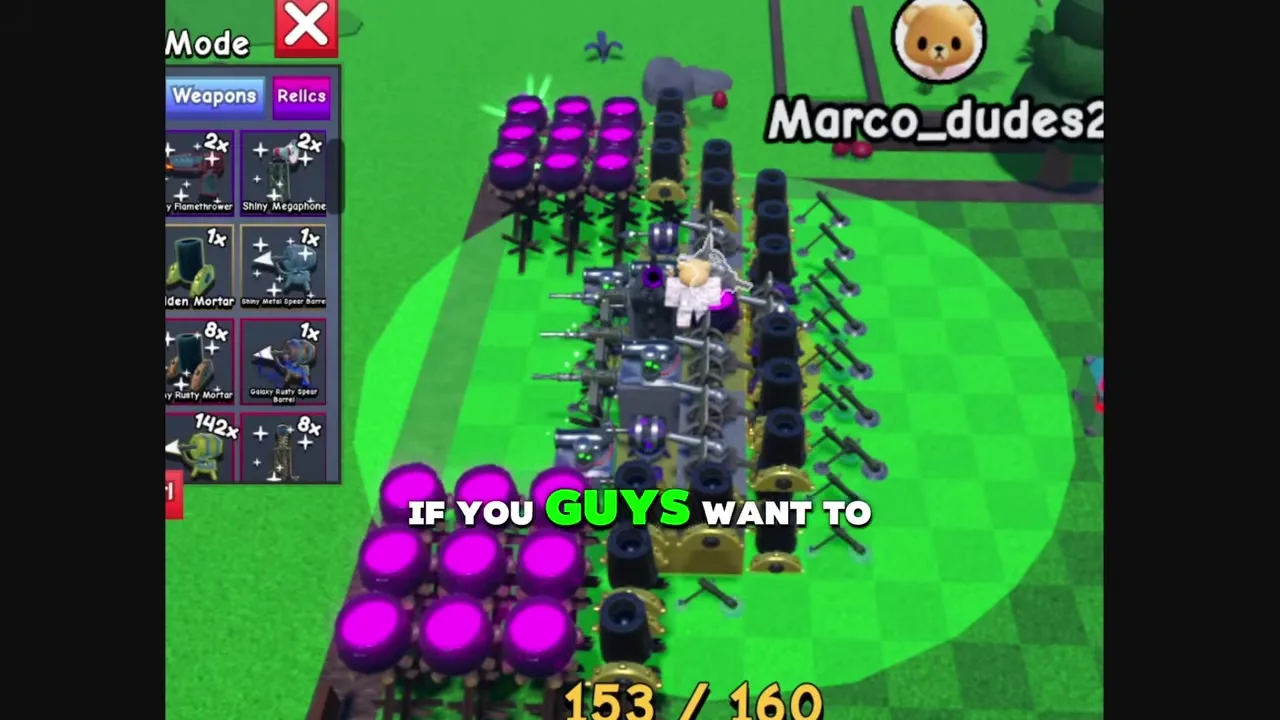
Build Mode has three tabs: Blocks, Weapons and Relics. Blocks are pure walls and path shapers. Weapons deal damage. Relics appear as a third tab for placement, but every relic we have seen is also consumed as a crafting material rather than a permanent equip.
Click places an object, R rotates it, and the tilde key cancels the current ghost. There is a clear-plot button — use it when a full rebuild is cheaper than nudging pieces one by one.
| Action | Control | Notes |
|---|---|---|
| Enter build | Build button (hammer) | Opens the inventory panel |
| Place | Left click | Uses one placement slot |
| Rotate | R | Rotates the ghost before placing |
| Cancel ghost | Tilde (~) | Drops the held object without placing |
| Clear plot | Clear plot button | Wipes the plot for a full relayout |
You start with a fixed number of slots (40 early on). Skills under Place More raise that cap in steps. When the counter reads full, new rolls only help if you replace weaker objects or craft the surplus.
That is why mid-game guides talk about banking Refined and Epic stacks: once the plot is full, those objects are crafting fuel rather than free placements.
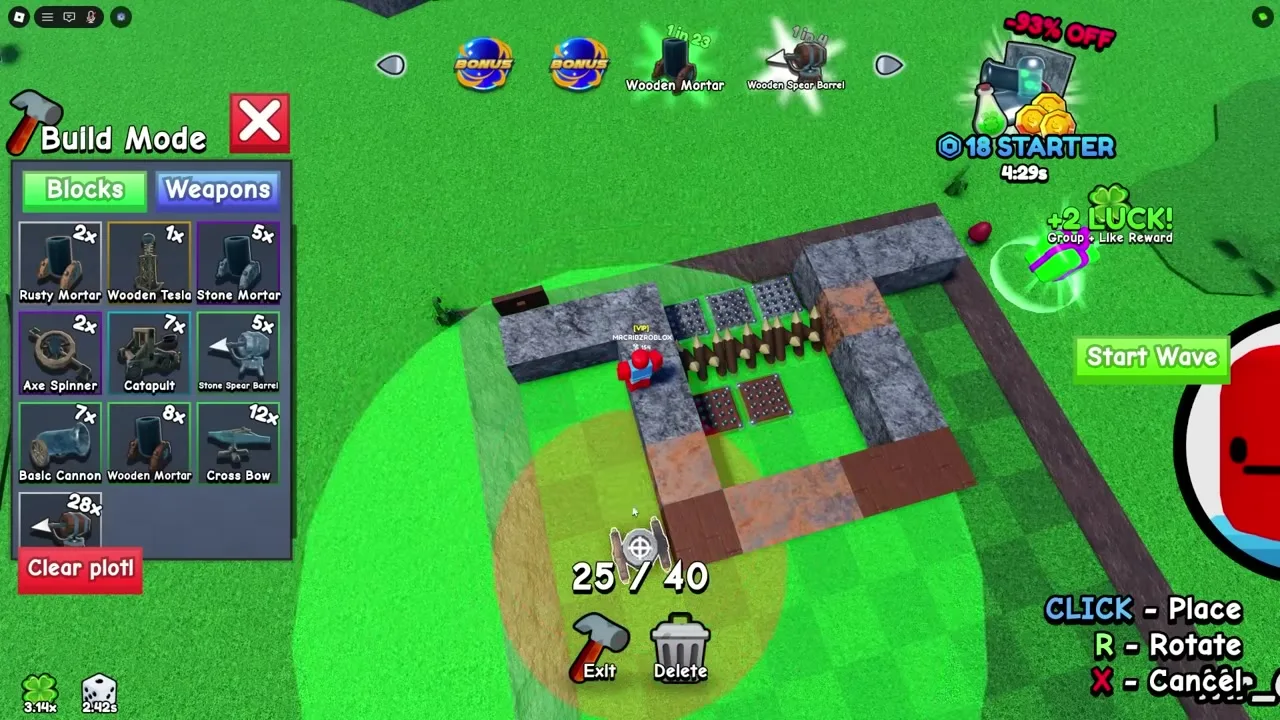
Put walls on the enemy approach first. Damage pieces need a clear angle; burying a cannon inside a solid block of wood wastes a slot.
Leave a little room to rotate larger weapons. Rebuilding after every big skill unlock is normal — the clear-plot button exists because layouts go stale as soon as Place More lands.
Start Wave begins the next attack. Auto Wave keeps the next wave starting without another click, which pairs with Auto Roll for semi-idle sessions.
If the base is leaking, turn Auto Wave off and fix the layout before you burn more waves on a broken front line.
FAQ
There is no dedicated move tool in the footage reviewed — delete and replace, or clear the plot and rebuild. Plan lanes so you do not need constant micro-moves.
They appear as a build tab, but every relic name we have confirmed is also a crafting ingredient that gets consumed by a recipe. Treat them as materials first.